Purchase Order Management for Ecommerce Retailers
OnePatch · Originally published: 2023-05-30
Learn how purchase order management helps ecommerce retailers plan stock, create supplier orders, track deliveries and avoid manual purchasing errors.
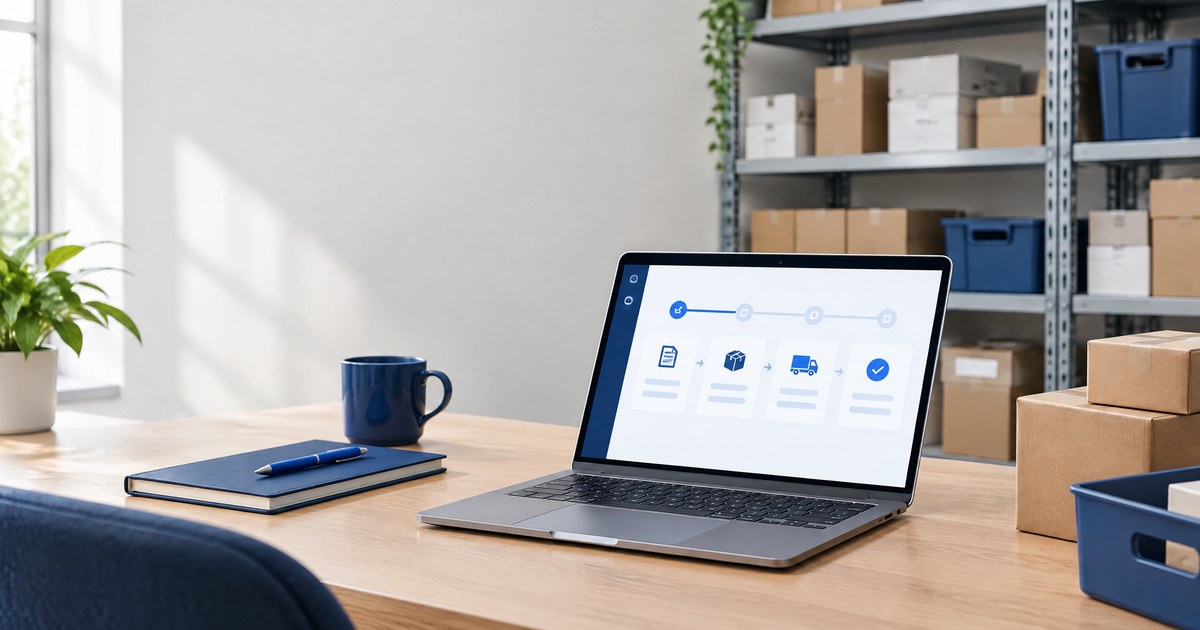
A purchase order turns a stock-buying decision into a clear record of what you are ordering, who is supplying it, how much it should cost and when it should arrive. Purchase order management covers the full process: planning the order, sending it to the supplier, tracking it and checking the delivery against what was requested.
For an ecommerce retailer, that process becomes harder as the business grows. The same SKU may sell through Amazon, eBay, Shopify, Etsy and a physical location. Stock can fall quickly across several channels, yet purchasing is often managed in a spreadsheet, an email thread or someone’s memory. That creates avoidable errors at exactly the point where cash and stock availability need the most control.
This guide explains how purchase orders work, what a reliable process should include and when dedicated purchase order management software becomes useful.
What Is Purchase Order Management?
Purchase order management is the process a business uses to create, approve, send, track and close purchase orders. A purchase order, usually shortened to PO, is the document a buyer sends to a supplier to describe the products or services it wants to purchase.
A PO normally records the supplier, delivery address, product or SKU, quantity, unit cost, expected delivery date, payment terms and any relevant notes. It gives both sides a shared reference for the order and makes it easier to resolve differences later.
The purchase order should remain connected to the stock decision that created it. If a retailer orders 200 units because inventory is running low, the team should be able to see why that quantity was chosen, whether the supplier confirmed it and what was actually delivered.
Why Ecommerce Purchasing Gets Complicated
Purchasing for one small shop can be straightforward. Purchasing for a multichannel retailer is different because demand is spread across several places and can change throughout the day.
- One product may sell on several marketplaces under different listing references.
- Orders placed on one channel reduce the stock available to every other channel.
- Different suppliers may provide the same product with different costs, lead times or minimum quantities.
- Deliveries can arrive late, incomplete or with substituted products.
- Stock that looks available in a spreadsheet may already have been sold elsewhere.
These problems are linked. Weak inventory visibility produces poor purchasing decisions, and weak purchase order tracking makes inventory records less reliable. A consistent process gives the team one version of what was ordered and what is still expected.
The Purchase Order Process
Review Stock and Demand
Start with the stock available across the whole business, not the quantity shown on one marketplace. Review recent sales, open customer orders, incoming stock, supplier lead times and any planned promotions. The purpose is to decide what needs replenishing and when the next delivery must arrive.
Choose the Order Quantity
An order quantity should reflect expected demand, current stock, committed sales, lead time, storage limits and available cash. Ordering too little increases the chance of a stockout. Ordering too much ties up cash and can leave the business discounting slow-moving products later.
Create the Purchase Order
Create a numbered PO with the supplier details, products, quantities, prices and delivery terms. Use the same SKU references that appear in the inventory system. Clear product references reduce the risk of the supplier sending the wrong variation or the receiving team booking stock against the wrong item.
Check and Send the Order
Before sending the PO, check the delivery address, currency, taxes, unit prices, totals and requested delivery date. The approval step can be simple in a small business, but someone should still be responsible for confirming that the order is needed and affordable.
Record the Supplier Confirmation
A sent purchase order does not guarantee that every item will arrive as requested. Record the supplier’s confirmation, including changes to prices, quantities or dates. If the supplier cannot fulfil part of the order, the stock plan may need to change immediately.
Track the Expected Delivery
Keep open purchase orders visible until they are completed or cancelled. A delivery date hidden in an email is easy to miss. A shared record lets the team identify late stock and decide whether to contact the supplier, adjust channel availability or use another source.
Receive and Reconcile the Stock
When the delivery arrives, compare the products and quantities with the PO. Record shortages, damaged items and substitutions instead of marking the entire order as complete. Inventory should reflect what was actually received, not simply what was ordered.
Close the Purchase Order
Close the PO once the delivery has been checked and any differences have been resolved. Keep the record available for future purchasing, supplier discussions and cost checks. A complete history is more useful than a folder of PDFs with no consistent status.
What a Purchase Order Should Include
A usable purchase order should contain enough information for the supplier to fulfil it without guessing and for your team to verify the delivery later.
- A unique purchase order number and order date
- The buyer and supplier names, addresses and contact details
- The delivery address and requested delivery date
- Product names, SKUs, variations and quantities
- Unit prices, taxes, delivery charges and the order total
- Currency, payment terms and relevant supplier terms
- Notes covering packaging, labelling or delivery requirements
Consistency matters more than visual complexity. A simple PO with complete, accurate information is more useful than an elaborate document that leaves out the SKU or expected delivery date.
Purchase Order and Invoice Differences
A purchase order is created by the buyer before the goods are supplied. It states what the buyer wants to purchase. An invoice is normally created by the supplier to request payment for the goods or services provided.
The documents serve different purposes, so a business should not treat an invoice as a replacement for a PO. Comparing the supplier’s invoice and delivery with the original purchase order helps identify unexpected prices, missing products or incorrect quantities before payment.
Common Purchase Order Mistakes
Using Stock from One Channel
A marketplace balance is not the same as total available stock. Base purchasing decisions on inventory across every connected channel, warehouse and open order.
Ordering Without Supplier Lead Times
A reorder made after stock reaches zero is already late. The purchasing process should account for how long the supplier takes to confirm, prepare and deliver the order.
Treating Ordered Stock as Available
Creating a PO does not put sellable units on the shelf. Keep incoming stock separate from available stock until the delivery is received and checked.
Ignoring Partial Deliveries
If 80 of 100 units arrive, record 80 as received and leave 20 outstanding. Closing the whole order hides the shortage and makes future stock decisions less reliable.
Keeping Purchasing in Private Inboxes
Supplier communication may happen by email, but the order status should be visible to the people responsible for stock, customer orders and cash. The business should not depend on one person remembering what a supplier promised.
When a Spreadsheet Stops Being Enough
A spreadsheet can work when the product range is small, one person handles purchasing and orders arrive from one sales channel. It becomes fragile when several people update it or when stock changes faster than the file can be maintained.
Dedicated purchase order management software becomes useful when the business has multiple suppliers, a growing catalogue, frequent replenishment, partial deliveries or more than one sales channel. The value comes from connecting purchasing records with current inventory and day-to-day ecommerce operations.
How OnePatch Supports Purchase Orders
OnePatch purchase order management brings orders, inventory, listings and purchasing into the same multichannel ecommerce platform. Retailers can create purchase orders in OnePatch and download them as PDFs to send or print for suppliers. This keeps supplier orders alongside the products and stock that created the requirement.
Tilly AI can also help raise a purchase order when a product is running low. The team remains responsible for checking the supplier, quantities, pricing and delivery details before sending the order.
See how OnePatch purchase order management works alongside multichannel inventory management and order management.
Purchase Order Questions
What Is a Purchase Order Number?
A purchase order number is the unique reference assigned to a PO. It helps the buyer and supplier identify the same transaction in emails, deliveries, invoices and internal records.
Who Creates a Purchase Order?
The buyer creates the purchase order and sends it to the supplier. In a small ecommerce business that may be the owner or operations manager. Larger teams may separate the request, approval and purchasing responsibilities.
When Should Inventory Increase?
Sellable inventory should normally increase when the goods have been received and checked. Creating or sending the purchase order records incoming stock, but it does not confirm that the products have arrived.
Can a Purchase Order Be Changed?
A PO can be revised before fulfilment if the buyer and supplier agree to the change. Keep the updated quantity, price or delivery date in the shared record so the final delivery is checked against the latest agreed order.
Do Small Ecommerce Businesses Need Purchase Orders?
A very small seller may manage occasional supplier orders without formal software, but using numbered purchase orders still creates clearer records. The need for a system increases as the number of products, suppliers, sales channels and people involved grows.
Control Purchasing Before It Controls Your Cash
A reliable purchase order process gives an ecommerce retailer a clear view of what has been ordered, what is due to arrive and what still needs attention. It reduces avoidable supplier disputes and makes stock planning easier to manage across several sales channels.
If purchase orders are currently spread across spreadsheets, PDFs and email threads, bring the process into the same system as your inventory and marketplace orders.
Start using OnePatch for free or review OnePatch pricing to choose the right starting point for your business.