Real-Time Stock Sync
Update connected channel quantities from one shared inventory view as orders and stock changes are processed.
Keep stock accurate across every sales channel from one place. OnePatch synchronises inventory across Amazon, eBay, Shopify, Etsy and 40+ integrations to help reduce manual updates, prevent overselling and keep your stock under control.
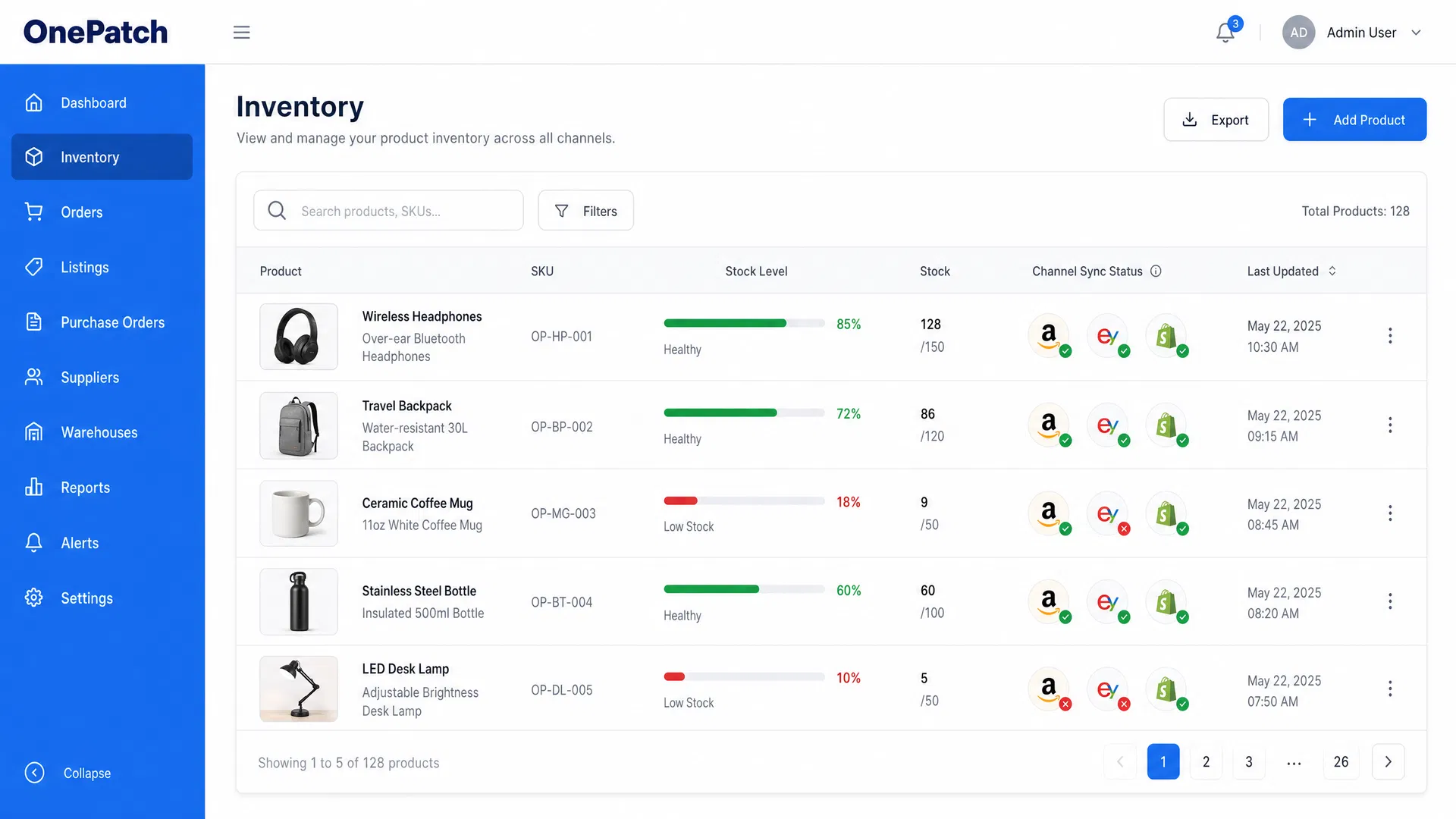
Retailers should not need separate stock decisions for Amazon, eBay, Shopify and every other channel. OnePatch gives your team a central inventory view while synchronising supported connected channels.
When inventory is shared across channels, a manual update in one dashboard is not enough. OnePatch connects the order and stock workflow so available quantities can stay aligned as orders arrive.
An order is placed on Amazon or another connected sales channel.
The order enters the central ecommerce operations workflow.
Inventory is allocated and the shared available quantity is updated.
The updated quantity is synchronised to supported connected channels.
Use the capabilities your team needs today, with a central workflow designed to support more channels and more operational complexity over time.
Update connected channel quantities from one shared inventory view as orders and stock changes are processed.
See products and stock information in one dashboard instead of managing each marketplace separately.
Update quantities individually or through CSV-based bulk workflows when many products need attention.
Identify products approaching their reorder levels so the team can investigate and replenish earlier.
Manage multi-location inventory workflows where supported by your operational configuration.
Keep component and bundle stock accurate where supported by the product setup.
Understand stock levels and product performance with reporting that supports better purchasing decisions.
Create and track purchase orders to support replenishment and incoming stock workflows.
Tilly is the OnePatch ecommerce AI assistant. It can read inventory information and help with supported inventory actions using natural language, so your team can move from a question to a next action without hunting through screens.
Explore Tilly AIWhether you sell on marketplaces, your own storefront or both, OnePatch helps you work from one stock view while connected quantities are synchronised across supported ecommerce channels.
OnePatch is designed as an ecommerce operations platform, connecting inventory with the orders, listings and fulfilment activities that rely on it.
Keep connected quantities aligned as sales and stock changes are processed.
Replace repeated marketplace changes with one connected inventory workflow.
Give teams a central view of products and available stock.
Use low-stock visibility and purchase-order workflows to plan replenishment.
Manage more sales channels without creating a separate stock process for each one.
Use inventory reporting to support more informed purchasing decisions.
These practical guides support the commercial inventory workflow with deeper advice on stock accuracy, overselling and multichannel ecommerce.
FAQ
Clear answers about managing inventory, synchronising sales channels and using Tilly AI with supported stock workflows.
Inventory management software helps a business record, monitor and update stock levels. For multichannel retailers, it can bring stock information from connected sales channels into one operational view.
A multichannel inventory platform connects supported marketplaces and ecommerce stores. When an order or stock change occurs, it updates the shared inventory view and synchronises the available quantity across connected channels.
OnePatch keeps connected channel quantities aligned as orders are received and stock changes. This reduces the manual updates that commonly create overselling risk.
Yes. OnePatch supports connected Amazon, eBay and Shopify workflows alongside other supported sales channels. See the integrations directory for the current full list.
Inventory updates are synchronised through the connected channel workflow. Actual timing can depend on the relevant channel connection and the status of the source order or stock update.
Yes. OnePatch supports bulk stock updates, including CSV-based workflows, alongside individual quantity changes.
OnePatch supports multi-location inventory workflows where supported by the account configuration and connected operational process.
Tilly AI can help teams ask inventory questions in natural language and perform supported actions such as checking low stock, updating a quantity or creating a purchase order.
Connect your sales channels and manage inventory, orders and listings from one place with OnePatch.